Phase 4: Tracking – Receive updates, approve deliveries and stay in control

"Did they come today? What did they do?"

Your contractor uploads the progress into ReConto so you get photo updates, approve deliveries or request changes without chasing them.

❌ The Problem

  • Lost messages, no idea if the crew showed up and photos scattered across chats make it impossible to know the truth.
  • The contractor says “going well,” but you can’t verify and the stress keeps building.

Without organized tracking, you just trust what they say.

✅ The Solution

  • ReConto centralizes messages, photos, decisions and progress so you can open the project and see what really happened.
  • No more searching ten different chats—now you have visual evidence and clear dates.

One place to see everything happening in your home.

📊 The Result

  • Fewer “what’s the status?” calls and more peace knowing exactly what happened.
  • Better communication, clear evidence if something goes wrong and real control of your investment.

Stop guessing and start knowing.

No more "trust me, everything is fine"

ReConto gives you real visibility. Photos per phase, completed tasks, documented decisions and organized communication. All in one place, without depending on good memory or good will.
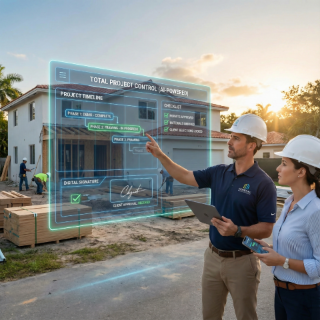
Project tracking screen in ReConto

One place to track everything happening in your project

In Phase 4, ReConto becomes the shared control center. Your contractor logs updates, photos and notes, and you see the same information without chasing anyone.

Centralized messages

Questions and answers with your contractor stay with the project—not buried in chats.


Real task status

See which stages are pending, in progress or done exactly as your contractor marks them.


Photo evidence

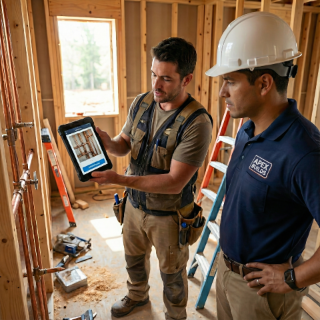
They upload photos per visit or completed phase so you verify without being on-site.

Tracking features

And more

Useful notifications

Alerts only appear when there is real progress or your approval is needed.


AI catch-up

Step away for a few days and the AI summary highlights what changed.

Tracking features

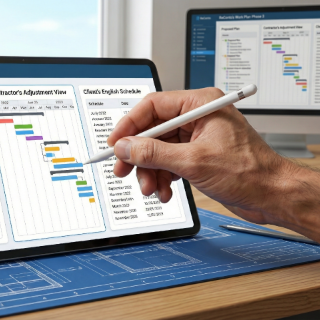
From the plan to the real progress

Everything defined in the Work Plan (Phase 3) now shows in motion: your contractor marks tasks as pending, in progress or done and you confirm with photos and real dates whether the project stays on track.

How Tracking Works in ReConto

  1. 1

    Your contractor updates ReConto with comments, photos and each task’s status.

  2. 2

    Open your project and see the timeline of phases, tasks and progress.

  3. 3

    Review new photos, messages, documents or visit notes.

  4. 4

    Ask questions inside the project instead of spreading chats everywhere.

  5. 5

    Approve deliveries or request changes with one click—everything stays documented.

  6. 6

    If you were absent, rely on the AI summary to catch up fast.

Real follow-up use cases

How homeowners use follow-up in real life

  • Kitchen remodel: catch cabinet installation error early thanks to daily photos.

  • Landscaping during vacation: review progress and send questions from another city.

  • HVAC change: organized photos serve for warranty claims later.

  • Owner with multiple houses: see progress per property without mixing messages.

Why organized tracking reduces stress in any project

One of the most stressful moments for a homeowner is not knowing what's really happening in their home. Contractors say "going well" but you have no way to verify. Photos arrive via WhatsApp mixed with personal conversations. Decisions are made verbally and later nobody remembers exactly what was agreed.

The 3 most common mistakes when tracking projects informally

  1. Depending only on WhatsApp: Chats are useful day-to-day but terrible for long-term tracking. Finding a photo from two weeks ago among 500 messages is nearly impossible.
  2. Not documenting small decisions: "Should we change this color?" gets resolved verbally, but three weeks later nobody remembers who decided what.
  3. Not requesting photo evidence: Without organized photos, it's hard to prove how it was before, what was done wrong or what needs correction.

How tracking protects you when something goes wrong

Having clear project history doesn't just reduce daily stress. It also protects you if problems appear:

  • Bad work: Photos show exactly how it was before and what was done. You can prove the problem didn't exist before.
  • Unjustified delays: History shows when they actually came to work and when they didn't.
  • Unauthorized changes: If contractor does something you didn't approve, history proves there was never written authorization.

Frequently asked questions about follow-up

Yes. You'll see each phase, task and update in chronological order within the project.

Not required, but very helpful. Contractors can upload photos per visit or completed task.

Yes. Messages are saved with the project to avoid confusion.

AI can summarize the most important updates so you catch up without missing key details.

Yes. Each project has its own independent communication thread.